Suggest a reply
Drafts the answer from the whole chat, prices and promises included.
Close is our own product: a shared WhatsApp inbox for businesses that sell and support on WhatsApp. The number the business already has goes into one inbox the whole team uses, on a laptop or a phone. Every chat has an owner, reply-time targets keep anyone from waiting too long, and Assist, its AI helper, drafts the reply for a person to check and send.
Most of the businesses we work with sell on WhatsApp, usually from one number on one phone. When the whole team shares it, customers wait while the phone is in someone's pocket, two people answer the same question with two different prices, and the owner can't see who is handling what.
Before
After
Link the number by scanning a QR code, the way WhatsApp Web works, and the phone keeps working as before. The team sees every chat in one list, with who has it, what it's labelled and how long the customer has been waiting. Private notes let them talk about a chat inside it without the customer seeing.
On a phone
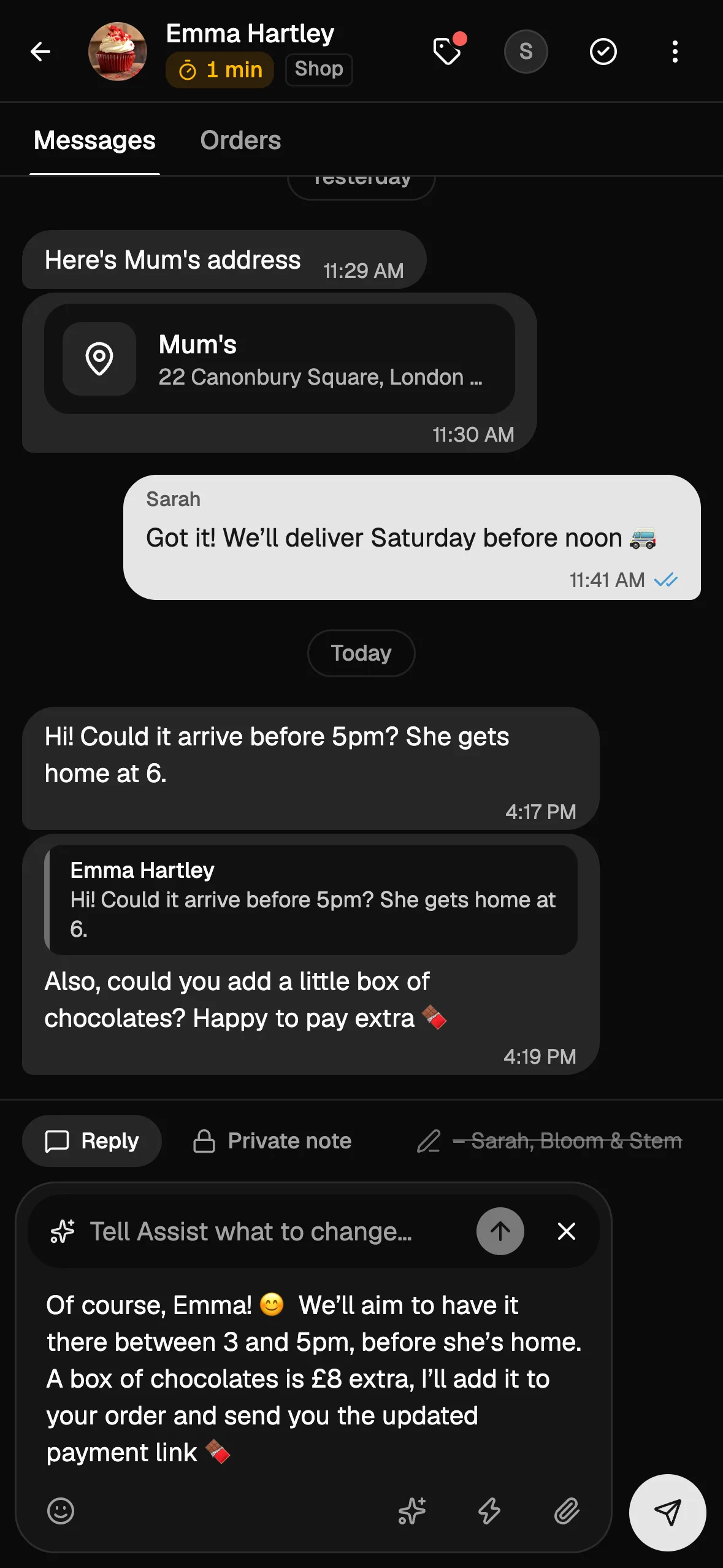
Assist sits in the reply box. It reads the conversation and fills the composer, and only a person can send. Each workspace turns it on for itself, and its use is metered in credits so nobody gets a surprise bill.
The owner sets the rules once. Chats go to the right person, every chat has a reply-time target, and the reports show who is waiting, how fast the team answers and how customers rated it.
Close has its own MCP server, the open standard assistants like Claude and ChatGPT use to connect to software. Signed in as one teammate, the assistant can find chats, read them, check the reports, and add notes, labels and assignments.
It has that person's permissions and nothing more. Sending a reply to a customer is marked as something that can't be taken back, so the assistant checks with the person first.
You ask your AI assistant
Claude, ChatGPT or any MCP-ready assistant picks the tool, calls close and answers from what comes back, on a laptop or a phone.
Read
Act, as you
Every visitor gets their own copy of a demo shop, with a month of chats in English, Malay, Indonesian or Arabic, the team set up and every feature in use. Nothing goes out on WhatsApp, and the copy is deleted after a day.
One workspace per business, each with its own plan and limits. Screenshots on this page use the demo's data.
Thirty minutes with the engineers who'd actually build it. You leave with an honest read on whether it's worth doing, what it would take, and what it would cost.